

Editorial Note: We earn a commission from partner links on Doughroller. Commissions do not affect our authors’ or editors’ opinions or evaluations. Learn more here.
UPDATE – Mint has decided to close its doors on March 23rd, 2024. Now would be a great time to consider an alternative to Mint so that your monthly budget doesn’t miss a beat.
I’ve used Mint.com for years. If you’re not familiar with Mint, it is a free online personal budgeting tool that allows you to see your whole financial life in one place. Whether it’s checking, savings, credit cards, PayPal, investments, retirement accounts, or any other personal finance accounts, Mint.com is your one-stop shop to manage them all. In this review, I’ll share my experience with Mint.com.
Before I go into specifics, let me say that there is a difference between liking a product and liking what it does for you. Mint.com is an example of an innovation that delivers on both. It’s an inherently good concept and very well executed.
It was created by Intuit, the same company that created Quicken. So, Mint is similar, if less complicated. Like Quicken, it tries to manage all aspects of your finances–from your budget to your debt to your investments. That’s good in that this tool covers everything. It’s bad in that there are more specific tools on the market that may do certain jobs better.
Compare: Mint or Empower: Which Is Better for Managing Your Money?
How to Get Started with Mint
To begin, simply create a Mint account (it’s free). Once created, you will be prompted to add all of your financial accounts, including your bank account, credit cards, home loan, and investment account information. This is the critical step to getting the most out of Mint.
You add these accounts in two steps. First, you search for your financial institution on Mint. They have just about every bank, credit card company, and investment broker imaginable. Once you locate the financial institution you want to add, you’ll be prompted to enter the login credentials you use to access that account. This allows Mint to access your accounts and download your financial information into Mint.
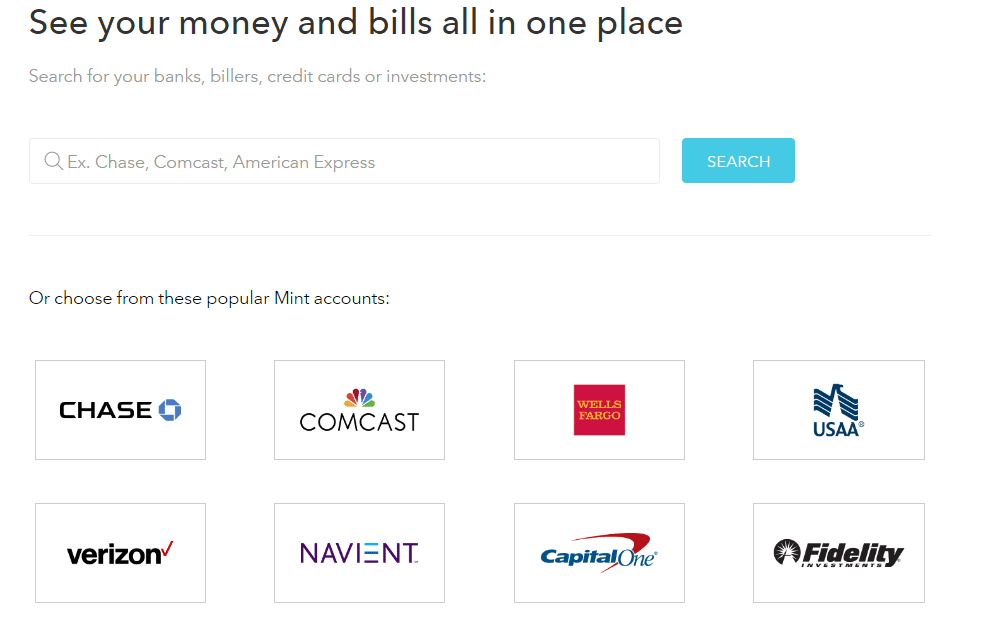
There are a few things you should know about this process:
- It’s secure. I was a bit nervous about giving a third party all this financial information. But Mint.com uses the same encryption banks use to keep your information safe. People have been using this service for years without any issues.
- It works with most (but not all) accounts. Mint.com can connect with most accounts, especially from larger banks, lenders, and credit unions. But I have run into accounts that can’t connect with Mint, usually because of the type of security protocols those accounts use. If you can’t connect your main spending account with Mint, that might be a deal-breaker. But if you’re just missing your mortgage account, for instance, you can still make the most of this tool.
- Most access is read-only. Mint will pull down information from your financial accounts automatically. In fact, that’s one of the things that makes it such a powerful tool. You don’t have to manually enter all that information each time you sit down to manage your budget. But that automatic access is read-only and gives Mint no power to move your money around.
- You can give it further access. You can now use Mint as a bill-paying tool, which is pretty great. It gives you the option to pay your bills from a single interface, rather than running all over the internet to get it done. But you’ll have to give the system additional information, like your account numbers, for it to transfer any funds for you.
- It’s usually really quick. Every once in a while, Mint will encounter an account that’s hard to connect with, or your bank or credit card company will be down for a bit. In this case, it can take longer to get information into Mint. But usually, the process is finished in minutes.
What Makes Mint So Awesome?
So, why do you even want to get started with Mint? Here are just a few of the things that make it such a great option:
- It’s free! Free budgeting software is somewhat common, but Quicken is still an expensive service. Mint does just about everything Quicken does, without any costs at all.
- It’s super simple to use. Because it downloads all of your transactions for you, you don’t have to do much but assign transactions to their proper categories. And over time, Mint gets more familiar with how your monthly transactions need to be categorized, so it even does that for you.
- It’s totally customizable. You can have hundreds of budget categories or just a handful. Or you can have several goals or none. You can hook Mint.com up with your investment accounts or not. It’s basically up to you!
Now you know why you should at least check out this service. So, let’s talk about the sections you’ll see once you log in.
Overview
Called an Overview, the first thing you see when you log into Mint.com is a snapshot of your finances. I use this screen more than any other. From the Overview, I can look at the balances in all of my bank accounts, see how my investments are doing, check my credit card balances, and get alerts about upcoming bills.
Here’s a screenshot of the Overview in Mint:
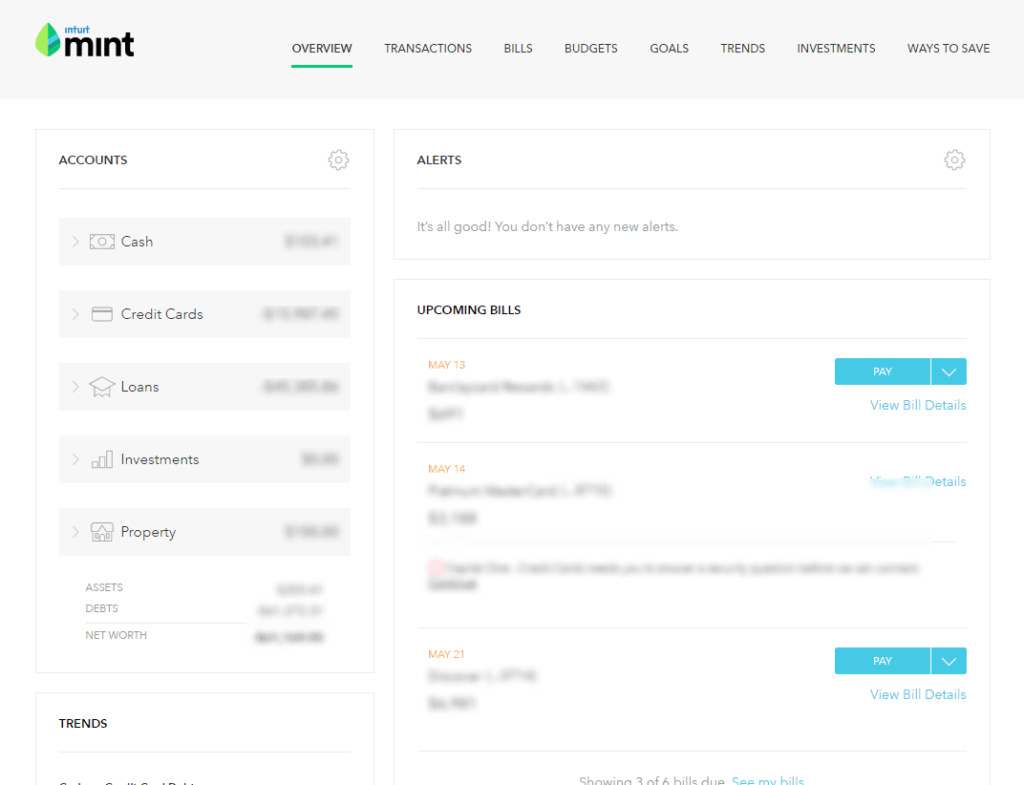
The Overview screen shows your upcoming bills, as well as any alerts. Mint will let you know if your bills are overdue, or if you’re approaching your credit limit on a credit card account, among other things. You’ll also get trend charts, which show your income and credit versus bank account spending over time. At the bottom of the page, you can get a free credit score from Equifax if you add in some additional information. And Mint will keep a running list of offers — especially for loans and credit cards — for which you might qualify.
Generally, as you’d expect, this screen is an overview of your financial life.
Transactions
As the name suggests, with the Transaction page, you see all of the transactions from all of the accounts you’ve linked to Mint. I use this page to categorize all of my spending. Mint does a reasonably good job at knowing how to categorize many transactions automatically. But there are always some transactions that I have to categorize myself.
On the Transactions page, you can toggle to see only transactions from your bank accounts, from your investment accounts, or from your credit card accounts. You can also look at transactions for specific accounts, or search for specific transactions using the search bar.
Bills
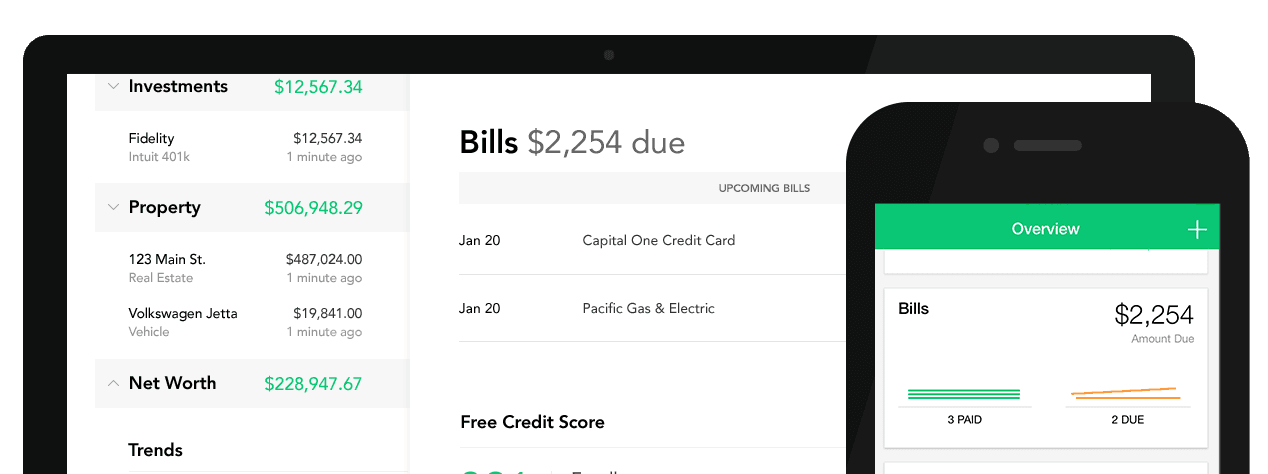
Bill-pay (known as MintBills) is a relatively new feature of Mint.com, but it’s quite convenient. In this section, you can actually pay your bills from the Mint interface. Again, you’ll have to input your account number to actually have Mint pay the bills. You can also mark the bills as paid if you decide to pay them elsewhere. The calendar tells you where your bills are coming up, and marks them as you pay them.
This is a helpful feature for managing cash flow, and it’s one I may start using myself to streamline the bill-paying process.
Budgets
For many, this is the heart and soul of Mint.com. The Budgets feature makes it ridiculously easy to set up and track your monthly budget. One of the features of this screen that many people love is how easy it is to get an at-a-glance visual representation of your budget. Each section of your budget gets a bar. If the bar is green, that means you’re well under budget. If it’s yellow, you’re getting close or have met your budget. When it turns red, you’ve gone over budget in that category.
Read More: A 10 Minute Budget That Really Works
The section also lets you track income and gives you an overview of your estimated income, budgeted expenses, and goals, as well as any money you have leftover. If your goal is to use a zero-based budget, you want to have no money left in that equation. If you only want to track a few problem budget areas, you might have a lot of money that goes into the “everything else” category.
There are two ways to set up a budget in Mint:
- Create one yourself. If you’ve already been using another budgeting software or an old-fashioned spreadsheet, this will be easy. You can just create the categories you already use, and assign your budget amount. Or you can make guesses if you’re just starting to budget based on what you know of your own spending patterns.
- Use Mint to help you create one. When you first start your Mint account, it will actually pull in transactions from the last few months. And as you use the software more and assign categories to more transactions, it will start to help you find spending patterns. For instance, it will tell you your average spending in some categories. Mint will also tell you the average US spending in each category, which can be helpful if you’re new to budgeting. The more information you give Mint, the more accurate its suggestions, like the one shown below, will be.
The first approach can be good if you’re trying to be very strict with your spending or have problem areas you need to get a handle on. The second approach is helpful if you’re generally good at managing money but want to get a feel for your spending before actually creating a budget to stick to.
Either way, creating a budget on Mint is so simple. You can get as granular as you want. For instance, you could create one large category titled “food,” or several categories, like: groceries, restaurants, coffee shops, and fast food.
This is a great tool, but it does have one major flaw: you can’t budget for the next month’s income. In fact, I’ve sometimes seen the system go weird if I mess with budgets around midnight at the turning of a new month. You can sort of budget ahead, in that when you’re setting up a budget, you can make it for every month, every few months, or once. So you could set up your annual car registration bill to be divided by 12 months so you’re ready to pay it when the time comes. But, still, not being about to customize your budget for future months is a definite weakness.
Goals
Mint Goals are a simple way to track your progress on important financial steps. Mint offers some basic goals to choose from, like saving for a home or vacation or paying down credit card debt. But you can also create completely custom goals.
Each goal will hook up with one of your accounts–whether that’s a savings account for a saving-related goal or a debt account for a debt payoff goal. This makes it easy to see exactly how far you have to go on your goals.
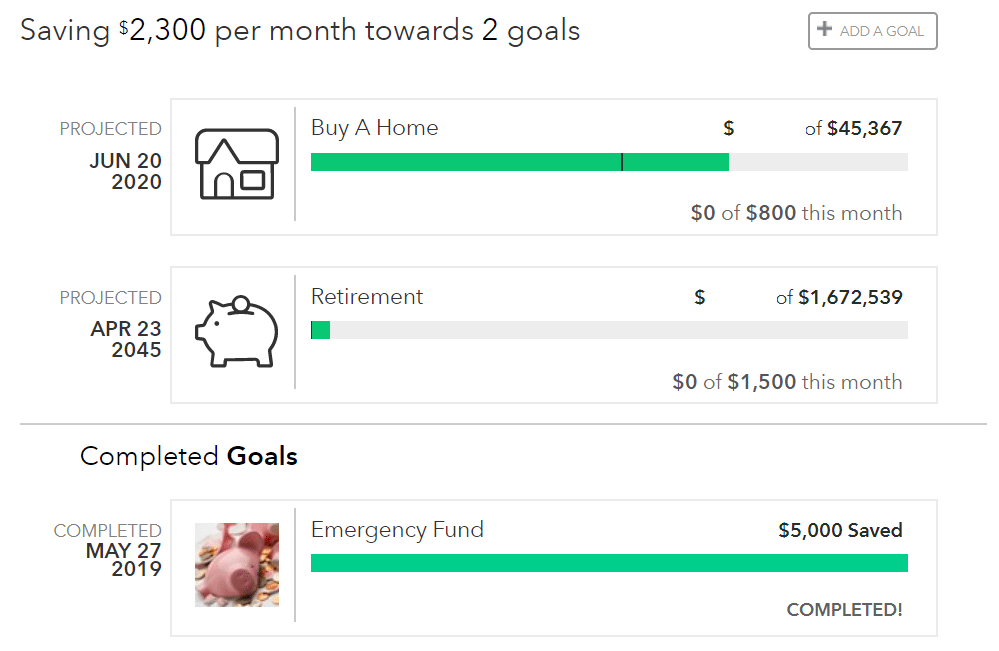
The goal’s functionality has gotten better in recent years. It used to be that goals could make your budget go a little wonky. For instance, if your goal was to pay off a credit card, the payment would count as part of your budget and also part of your goal. It just made things confusing.
Now, though, Mint basically treats goals like a part of your budget… except extra. So, if you don’t make quite enough income for the month to cover your budget basics, you won’t make progress on your goals. But if you make extra, you’ll progress on your goals. Also, you can choose to keep your goals separate from the rest of your budget, especially if you’re going to be funding your goal with income that won’t come through one of your budget accounts.
The other cool thing about goals is that Mint now helps you calculate them. It has always calculated things like credit card payoff goals. It’ll tell you how long it will take you to pay off your debts based on different payment amounts. But I recently set up a goal to save for an upcoming vacation. Mint helps you decide how much to save by letting you calculate how much you’ll spend on different parts of your vacation when setting your goal.
Overall, the goals functionality has improved considerably and helps set Mint apart from other budgeting tools.
Trends
This section of Mint gives you a more holistic overview of your financial life, especially your spending. You can get a pie chart of your spending, debts, income, and other financial markers for the past month or even the past year. The longer you use Mint and keep all your transactions categorized, the more accurate this picture will be. But it can be helpful in seeing where you might want to cut back on spending, for instance.
Investments
This is the disappointing side of Mint.com, at least for me. You can track investment accounts in Mint just like a bank account. Every day after the market closes, I update the investments in my Mint portfolio. This snapshot is very helpful. But that’s about all Mint provides when it comes to investments.
So, what’s the problem? Well, there are two. First, Mint does not provide any features to help with asset allocation. It would be very helpful if Mint broke down my investments by asset class, much like Morningstar can do. Now, in theory, Mint can do this. When you go to the investment page, there is an “allocation” tab.
The second problem is even more frustrating. Mint seems to have an issue when it comes to connecting with brokers and mutual fund companies. It’s not uncommon for Mint to have trouble downloading investing transactions. And even when it does download the transactions, they don’t always appear on its Investing page.
For example, my Overview currently shows all of my investment accounts. But when you go to the Investing page, my Scottrade account is mysteriously gone. It’s listed, but it is greyed out and the value of the account is not added to my total investments. this must simply be a bug in the system, but a very frustrating one.
The fact here is that Mint.com is for budgeting, not investing. However, one valuable investment service Mint does provide is tracking investment fees. They’ll help you identify the fees you are paying – that are often hidden – in your brokerage and retirement plans, and make helpful suggestions on how to avoid them.
Ways to Save
Mint, it seems, makes its money primarily from recommendations and affiliate links. On this tab, you can find ways that you might be able to save on your car loan, credit cards, or other loan accounts by refinancing or transferring balances to lower-interest or 0% introductory APR cards. Mint’s tool is decent, though there are other sites, like Credit Karma, that give you your odds of approval for various credit cards based on your current credit score.
Mint has also added a tool they refer to as MindsightsTM that tracks your net worth, spending, and budgets and makes recommendations to help you save money.
Bill Negotiation
Mint offers a service they call Billshark, which they claim has a 65% success rate in saving users money on their bills. It has reportedly saved Mint users over $2 million to date.
Billshark contacts the provider and negotiates for a lower bill. They can work to negotiate bills with 34 major providers, primarily Internet, cell phone, and cable companies.
There is a bit of a catch with Billshark, and that’s that it will cost you some money. You’ll be charged a fee equal to 40% of the money you’ll save on a bill over 24 months. For what it’s worth, Mint does receive a share of the fee you will be charged. The fee is due upfront, but you can negotiate monthly payments.
Free Credit Score
Mint provides access to your credit score, free of charge. It’s the VantageScore 3.0 provided by TransUnion, which is a common credit score offered by free credit score providers. You can check your credit score as often as you like, without impacting your score.
Calculators
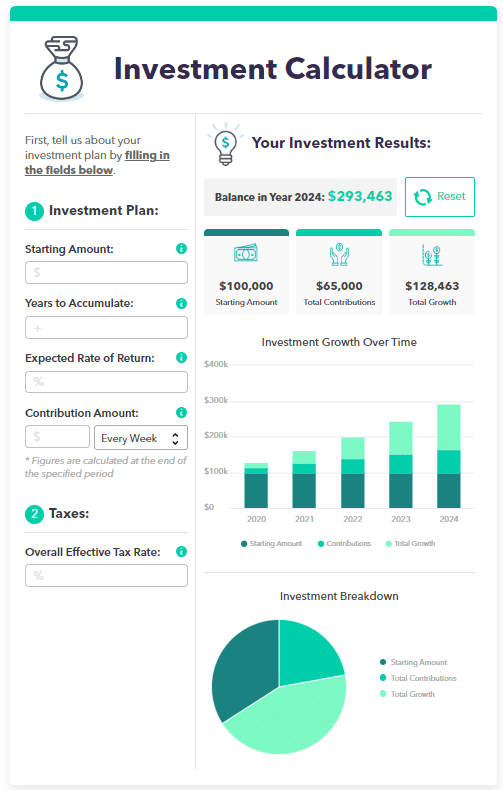
Mint offers a series of calculators designed to help users improve nearly every corner of their financial lives.
Available calculators include:
- Retirement calculator
- Credit card payoff calculator
- Net worth calculator
- Grocery budget calculator
- Home affordability calculator
- Loan Calculator
- Budgeting calculator
- Investment Calculator
- Travel budget calculator
- Student loan calculator
Each comes with an explanation of how the calculator works, and what information you can expect to receive from using it. That’s usually followed by suggestions to help you improve expected outcomes.
A Note on Customer Service
Many users have noted that Mint’s customer service isn’t the greatest and that it often has glitches. Both of these things are true, but they seem to be getting better.
For one thing, since it launched, Mint has added so many more accounts to its list. So it’s much more likely that the majority of your financial information can be pulled into Mint. Sometimes, though, you’ll still get an account connection error when Mint is trying to download the latest transactions. Often this is because your financial institution requires a new login confirmation — like answering one of your security questions. It takes a few seconds when you first log in, but it’ll still work.
Another older issue that Mint had was doubling transactions. One thing I like about it is that it will download transactions that are still pending in your bank account. In other software options, like YNAB, you have to wait until the bank clears the transactions to add them to your budget. But with Mint, you can get many transactions same day.
However, this means that sometimes when the transaction does clear, it’ll show up double in Mint. I find that this is more often the case with transactions like restaurant tabs with a tip. Usually, the pending transaction will show up as just the tab, and the tip won’t get added until the transaction clears the next day. Sometimes these will show up as two separate transactions in Mint. But you just have to toggle the older transaction to hide it from your budgets and transactions, and it’ll go away.
Finally, many people have complained about Mint’s customer service. I’ve found that it’s fairly hit or miss. Sometimes you get a quick response from a real person, and sometimes you don’t. But any time I’ve gotten a real person via email, the problem has been solved quickly… or, at least, they have let me know that they were having a system-wide issue and were working to fix the problem for all users.
That highlights another issue with Mint, which is the lack of phone contact. Customer support is available only by live chat, from 5:00 a.m. to 5:00 p.m., Pacific time.
The bottom line is that any software like this will have glitches and won’t have universal connectivity. But Mint has improved significantly and does well for a service that continues to be free.
Mint Pros & Cons
Pros:
- Organizes all your financial accounts on a single app, giving you a comprehensive view of your finances.
- Offers suggestions, educational resources, and calculators to help you improve your financial situation.
- Mint is completely free to use.
- Provides free credit score monitoring.
Cons:
- Depending on how many financial accounts you have, the setup can be time-consuming and cumbersome.
- There can be difficulty syncing with certain accounts or providers.
- Not all your financial accounts may link with Mint.
- The Billshark bill negotiation service charges a steep fee, based on the percentage of the amount they save you in your bills.
- Like many free services, Mint does promote certain services as a way of earning revenue.
Mint Alternatives
Empower

Empower provides many of the same services as Mint, including what they describe as a 360° view of your finances. Like Mint, Empower aggregates all your financial accounts in one place to give you a high-altitude view of your entire financial life. That includes tools like a budgeting planner, retirement plan, and net worth calculator.
But Empower is first and foremost an investment platform. Even the free version provides their Investment Checkup tool, which assesses your portfolio risk, analyzes past performance, and models individualized asset allocations. And if you have at least $100,000 to invest, you can take advantage of Empower Wealth Management service.
You Need a Budget (YNAB)

YNAB is one of the most popular budgeting services available. Short for You Need A Budget, YNAB uses a four-step process for making money management more stress-free: 1) Give every dollar a job, 2) Embrace your true expenses, 3) Roll with the punches, and 4) Age your money.
Each represents a creative title describing a specific financial strategy. For example, giving every dollar a job is where you decide where to spend your money before you earn it. Roll with the punches encourages you to be flexible with your money so you’ll be better prepared for contingencies.
Unlike Mint, YNAB is a premium service. The cost is $99 for an annual subscription, equal to $8.25 per month. But if you prefer to pay monthly, the fee is $14.99. Both plans begin after a 34-day free trial.
EveryDollar

EveryDollar is a budgeting service provided by Dave Ramsey’s Ramsey Solutions. It’s designed to help you cut your monthly expenses, and “find an extra $332 hiding in plain sight” within the first month.
There is a free version that will provide you with a customizable budget and savings funds, but most of the real services are available through the Premium version. That’s where you’ll be provided with a financial roadmap, paycheck planning, goal setting, group financial coaching, and smart tracking recommendations, among other features. Premium is available for a monthly fee of $12.99, or an annual fee of $79.99, both following a 14-day free trial.
Frequently Asked Questions (FAQ)
How trustworthy is Mint?
Mint has industry-standard protocols set up to protect your information. The app also gets high ratings from mobile users, including 4.8 out of five stars from nearly 800,000 iOS users on The App Store, and 4.2 out of five stars among more than 200,000 Android users on Google Play.
What are the downsides of using Mint.com?
Because Mint needs to aggregate all your financial accounts on the app, it can be time-consuming and somewhat complicated upon set up. It’s also possible to experience syncing difficulties with certain accounts or providers, especially investment accounts.
Does Mint work?
Mint provides a centralized, comprehensive picture of your entire financial life on one app, then offers helpful suggestions and even services to help you improve your finances. The fact that the app is used by hundreds of thousands of users testifies to the validity of the product.
Is the Mint paid version worth it?
Seems the answer here is no. The only mention of Mint Premium on the Mint website is in the support page, where they instruct users on how to cancel it
Final Thoughts
So, here’s where I come out on Mint. If you’re a visual processor, like me, Mint has all the right graphs and charts to make you feel in control of your finances. The program is orderly, easy, and don’t forget, free.
It’s an excellent tool for managing your budget, especially if you like the visual overview of your budget that tools like YNAB don’t offer. It’s also a helpful “beginner budget” tool for those who aren’t disciplined about writing down every transaction. As long as all of your accounts are linked to Mint, it’ll do the hard work for you. With that said, Mint is weak in other areas, especially with investing.
Overall, Mint is worth trying if you’re interested in an online budgeting tool. Plus it has an app that is excellent to use so that you can track your spending on the fly.
Mint

Summary
Mint is the #1 budgeting tool in the US and it’s easy to see why. Free budgeting with excellent features and a weekly credit score highlight the best tools this app offers.